← All support articles
Sharing video with athletes
SwimClips Cloud, Photos, Files or a ZIP: which to use, and how.
Every share option is under the Export icon in the player.
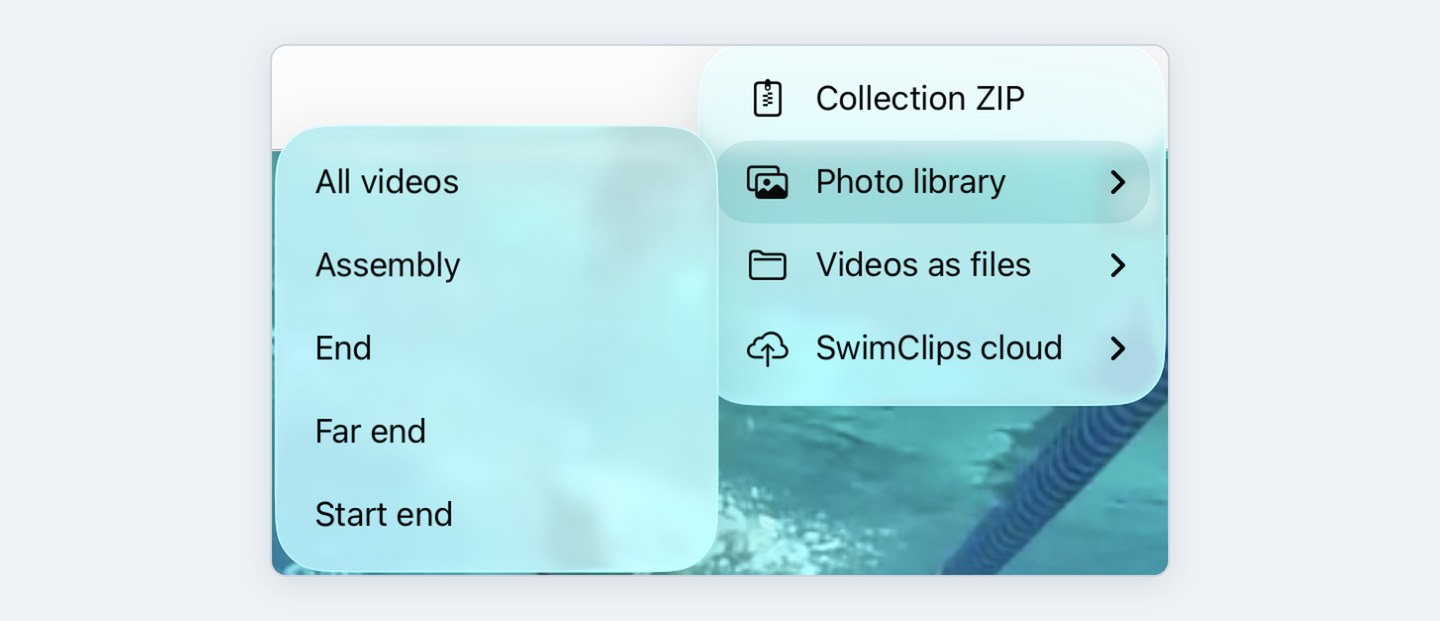
Which one to use
Sending to an athlete: SwimClips Cloud.
Bad WiFi on deck: Photos, then AirDrop.
Every angle, offline, or to another coach: Collection ZIP.
Editing in other software: Files.
SwimClips Cloud
Best for athletes, and for voiceovers and assemblies. It emails the swimmer or parent a link to the video.
You and the athlete both need a SwimClips Cloud account. They're free, and athletes can create theirs after you share. See Creating your SwimClips account.
Heads up: Cloud needs the Hub connected to the internet and you logged in on the Cloud tab. Recording works without either.
Photos
Best for single videos, or a pool deck with poor WiFi. Saves to your iPad's camera roll so you can AirDrop it to the athlete.
Can't find it? Check Photos → Recently Saved.
Files
Saves the video as a file, on your iPad or in iCloud.
Collection ZIP
Saves the whole collection as one ZIP, on your iPad or in a shared iCloud folder. A ZIP is the only way to open every angle in a collection offline, and the easiest way to share with another coach who has the app.

